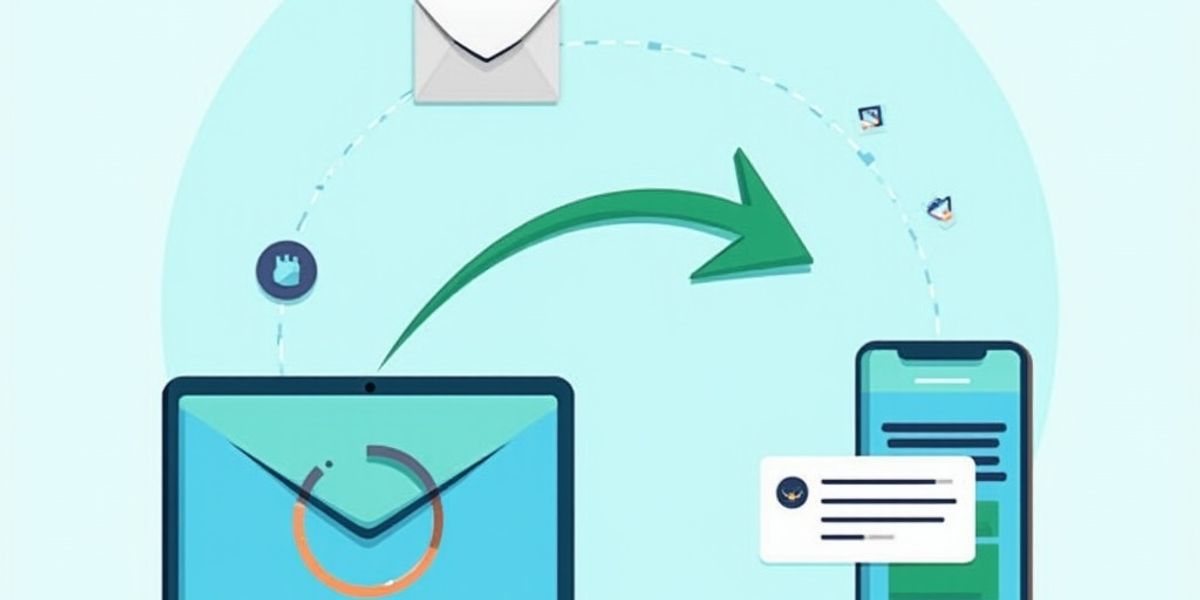
Most businesses already rely on email for daily communication, but email is not built for urgency. A booking confirmation, a delivery alert, or a payment reminder can sit unread in an inbox for hours. SMS, on the other hand, is read within minutes of arriving. Email to SMS gives you the best of both: you keep writing the message the way you always have, in an email, and the recipient gets it as a text.
In this guide, you will learn what email to SMS is, why it matters for Australian businesses, the key benefits of using it, how to set it up with DataFlows, and the best practices that keep your messages effective and compliant.
What Is Email to SMS
Email to SMS is a messaging method that converts a standard email into a text message and delivers it directly to a mobile phone. Instead of writing code or calling an API, you send an email to a special address supplied by your SMS provider, and the subject line or body of that email becomes the content of the SMS. The provider handles the conversion and delivery over the mobile network.
This approach removes the need for developer resources when a business only needs to send simple, one-off, or scheduled text alerts. It works from any device or system that can send email, including desktop mail clients, monitoring tools, point-of-sale systems, and legacy software that was never designed to talk to an SMS API.
For Australian businesses, email to SMS is often the fastest way to add SMS notifications to an existing process without touching the underlying software. If a system can send an email, it can now send a text message.
This matters because so much business software already has an "email alert" feature built in, even when it has no SMS option at all. Accounting systems, booking calendars, security cameras, server monitoring tools, and point-of-sale terminals routinely offer to email someone when something happens. Email to SMS takes that existing capability and turns it into a text message, without asking the vendor of that software to build anything new.
Why It Matters for Australian Businesses
Australian consumers expect fast, direct communication, particularly for appointments, deliveries, and account alerts. Email open rates vary widely and many people do not check personal or shared inboxes throughout the day. SMS does not have that problem. Messages typically get read within minutes, which makes it a far more reliable channel for anything time-sensitive.
Many Australian organisations, from medical clinics to logistics companies, already run internal systems that generate automatic emails, such as appointment confirmations, roster updates, or stock alerts. Email to SMS lets these organisations reach customers or staff on mobile without replacing existing software or hiring a developer.
It also matters for teams without a technical resource on hand. A office manager, practice coordinator, or operations lead can set up an email to SMS address in minutes and start sending texts from Outlook, Gmail, or any other mail client the business already uses.
Consider a few common Australian scenarios. A regional transport company wants drivers to get a text when a job is assigned, but its dispatch software only supports email alerts. A retail store wants a text sent to the manager's phone whenever the alarm system emails a trigger event. A small clinic wants front desk staff to be able to fire off a quick reminder text without opening a separate app. In each case, the business already has an email trigger somewhere in its process. Email to SMS turns that trigger into a text message reaching a phone within minutes, without a development project attached to it.
Key Benefits
- No coding required. Anyone who can send an email can send an SMS, with no developer or API integration needed.
- Works with existing systems. Legacy software, monitoring tools, and internal platforms that only support email can now trigger SMS alerts.
- Faster read times. SMS messages are typically opened within minutes, compared with email which can sit unread for hours or days.
- Simple setup. A dedicated email address is generated for your account and ready to use immediately, with no software installation.
- Cost-effective for low-code teams. Businesses without in-house developers can add SMS notifications without paying for custom integration work.
- Reliable delivery. Messages are sent over the mobile network rather than relying on app notifications or data connectivity.
Step-by-Step Guide
1. Set up your DataFlows account
Sign up for a DataFlows account and verify your business details. Once your account is active, go to the Email to SMS section of your dashboard to find your unique sending address.
2. Get your dedicated email to SMS address
DataFlows generates a unique email address tied to your account. Any email sent to this address is converted into an SMS and delivered to the mobile number specified in the message.
3. Format the recipient and message
Most email to SMS setups use the recipient's mobile number as part of the email address or subject line, with the message content taken from the email body or subject. DataFlows dashboard documentation shows the exact format to use, including how to specify the sender ID that will appear on the recipient's phone.
4. Send a test message
Before rolling this out to customers or staff, send a test email to your DataFlows email to SMS address using your own mobile number as the recipient. Confirm the message arrives correctly formatted and check the sender ID.
5. Connect it to your existing workflow
Once tested, point your existing system, whether that is a monitoring tool, a practice management system, or an internal alert script, to send its notification emails to your DataFlows email to SMS address. From that point on, every email it generates also becomes an SMS.
6. Monitor delivery
Use your DataFlows dashboard to check delivery status and message history. This helps confirm that messages sent by email are reaching recipients as expected.
Detailed Use Cases
Appointment reminders without a booking system rebuild
A clinic or salon running an older booking system that only emails confirmations can point those emails at a DataFlows email to SMS address. Clients get a text reminder in addition to, or instead of, the email, without the business changing its booking software.
Internal alerts for operations teams
Warehouses and logistics operators often rely on monitoring software that emails an alert when a shipment is delayed, a temperature threshold is breached, or a machine goes offline. Routing those alerts through email to SMS means the right staff member gets a text immediately, even if they are away from a computer.
Simple customer notifications for small businesses
A small business without any developer resources can still notify customers about order status, appointment changes, or account updates. Staff simply send an email in the format DataFlows specifies, and the customer receives a text within seconds.
Backup channel for existing SMS API users
Businesses that already use the DataFlows SMS API for most of their messaging sometimes still want a manual, no-code way to send an occasional one-off text, such as an urgent staff notice. Email to SMS gives technical and non-technical staff a shared, simple channel for exactly that.
How DataFlows Helps
DataFlows Australia Pty Ltd makes email to SMS available as part of its SMS API platform, alongside Bulk SMS, SMS Marketing, OTP Verification, Virtual Numbers, and Sender IDs. Email to SMS is designed for teams that want SMS notifications without writing integration code, while still giving technical teams the option to use the full SMS API when they need more control.
Because email to SMS runs on the same delivery infrastructure as the rest of the DataFlows platform, messages sent this way benefit from the same Australian carrier connections and delivery reporting available to API and Bulk SMS customers. You can register a custom Sender ID so recipients see your business name rather than a random number, and you can manage your contact lists and delivery history from the same dashboard used for SMS Campaigns and SMS Automation.
If your team later wants to move beyond email to SMS into a fuller integration, DataFlows also connects with Zapier, Microsoft Power Automate, Microsoft Teams, Shopify, WordPress and WooCommerce, Auth0, Supabase, GoHighLevel, and Cliniko, so there is a clear path to more advanced automation without switching providers.
This means a business can start with the simplest possible setup, sending SMS by email, and grow into automated workflows later. A clinic might begin by emailing appointment reminders through DataFlows, then later connect Cliniko directly for fully automated reminders. A retailer might start with email alerts from its point-of-sale system, then later add the Shopify integration for order notifications. Because everything sits on the same DataFlows account, contact lists, sender IDs, and delivery reporting carry across as the business scales up its SMS usage.
Best Practices
- Test before going live. Always send a test message to your own phone before connecting email to SMS to a live workflow.
- Register a Sender ID. Set up a recognisable Sender ID so recipients know the message is coming from your business.
- Keep messages short. Write emails with SMS length in mind, since long email bodies will be split into multiple text messages.
- Avoid sensitive information. Do not send passwords, full payment details, or other sensitive data through email to SMS.
- Check formatting rules. Confirm the correct recipient and subject line format in your DataFlows dashboard before connecting a new system.
- Monitor delivery reports. Regularly check your dashboard to catch failed or delayed messages early.
- Respect opt-out requests. Follow Australian SMS marketing rules and stop messaging any recipient who asks to opt out.
Conclusion
Email to SMS is one of the simplest ways for an Australian business to start sending text messages without writing a single line of code. It works with the systems you already use and gets urgent information in front of customers and staff far faster than email alone. Sign up at dataflows.com.au to set up your email to SMS address and start sending your first SMS today.