Introduction
Running out of SMS credits at a key moment — like during a major campaign or alert message — can cost you time, money and customer trust. With the DataFlows SMS + Zapier integration, you can automate alerts and actions when your SMS credit balance drops below a set threshold. That means no surprise interruptions and full control over your communication workflows.
🔧 Connecting Your DataFlows Account to Zapier
Before you begin creating your Zap, make sure you have an active DataFlows account and your API token ready:
- Log in to your DataFlows dashboard.
- Navigate to the Developer section and copy your API Token.
- In Zapier, connect your DataFlows SMS account using that API token. Once connected, Zapier can securely send and receive data from DataFlows — enabling automation for triggers like low-balance alerts.
What This Feature Does
The “Low Balance Alert” trigger is part of the DataFlows SMS + Zapier integration. According to the integration page, it:
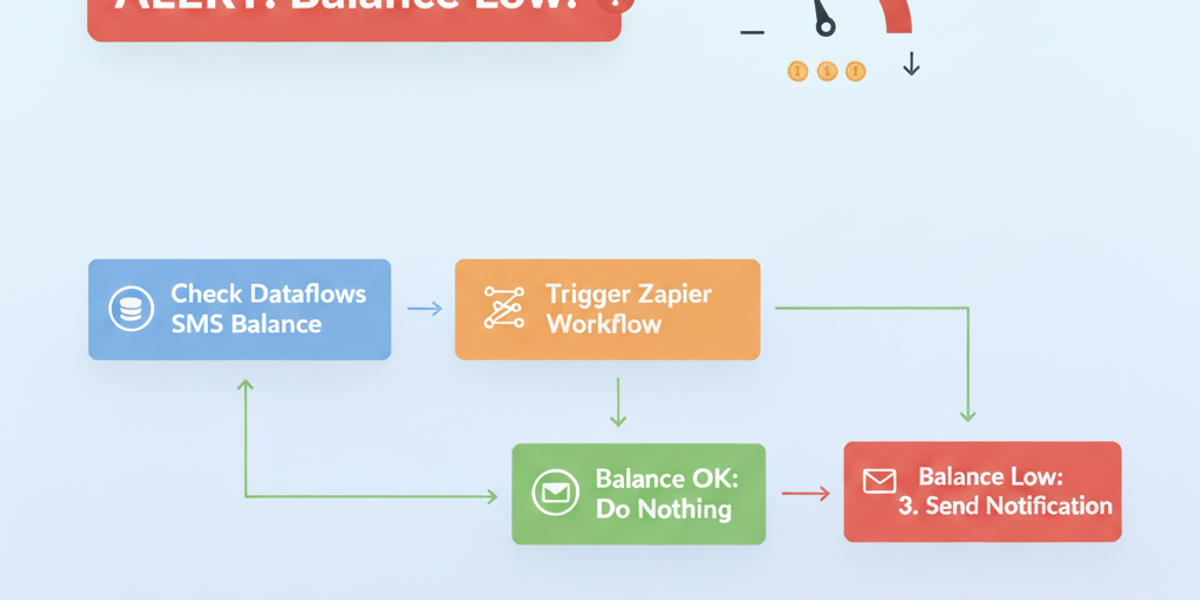
“Triggers when your SMS credit balance drops below a threshold (default: 100 credits). Perfect for preventing service disruption by alerting billing teams or triggering auto-purchase workflows.” Zapier What this gives you:
- A trigger in Zapier that fires the instant your balance dips below the threshold.
- Ability to run a workflow from that trigger — such as sending a Slack notification, topping up credits automatically, emailing your finance team or logging the event.
- Preventive control so you avoid message failures due to insufficient credits.
Why It Matters for Business
Running a messaging platform means your campaigns and notifications must run reliably. Here’s why this feature is essential:
- Uninterrupted communication — Campaigns stop if you run out of credits. The alert prevents that.
- Operational efficiency — Instead of manually checking your balance, you automate it, freeing up your team.
- Financial control — Set your own threshold, and receive alerts before it’s too late to act.
- Scalable growth — As your usage grows, you’ll want safeguards in place so service remains seamless.
How to Set It Up
- Create a new Zap in Zapier.
- Select DataFlows SMS as the trigger app.
- Choose “Low Balance Alert” as the trigger event.
- Connect your DataFlows account using your API token.
- Configure the threshold you care about (e.g., 100 credits).
- Add downstream actions — for example:
- Send a Slack message to #finance: “SMS credits below 100 — top-up now.”
- Send an automated top-up: Use a payment gateway trigger to purchase new credits.
- Create a Google Sheets entry logging the event for auditing.
- Test the ZAP and turn it on.
From then on, any time your credit drops below the number you set, your workflow will fire automatically.
Real-World Example Use Case
Imagine an eCommerce business that sends SMS order confirmations during flash sales. If the SMS credits hit zero mid-rush, hundreds of confirmations could fail. With this trigger:
- When credits fall to your set threshold, the Zap fires.
- Finance team receives a Slack alert and top-up is triggered automatically.
- No interruption to messages, and no frustrated customers.
Looking Ahead: Automation & AI
This alert trigger is powerful on its own but also paves the way for advanced workflows:
- Automatically purchase new credits using a preferred payment method as soon as threshold is crossed.
- Use AI to predict usage trends, then raise the threshold dynamically based on expected campaign volume.
- Combine with other triggers like “SMS Delivery Status Changed” to build a full-service messaging system with proactive maintenance.
Conclusion
Running out of SMS credits is avoidable with the right automation in place. With the DataFlows SMS + Zapier Low Balance Alert feature, you gain real-time monitoring, automatic workflows and peace of mind — all without manual checks.
👉 Ready to stay ahead of your messaging needs? Log into your DataFlows account, integrate with Zapier, and set up your low-balance alert today.