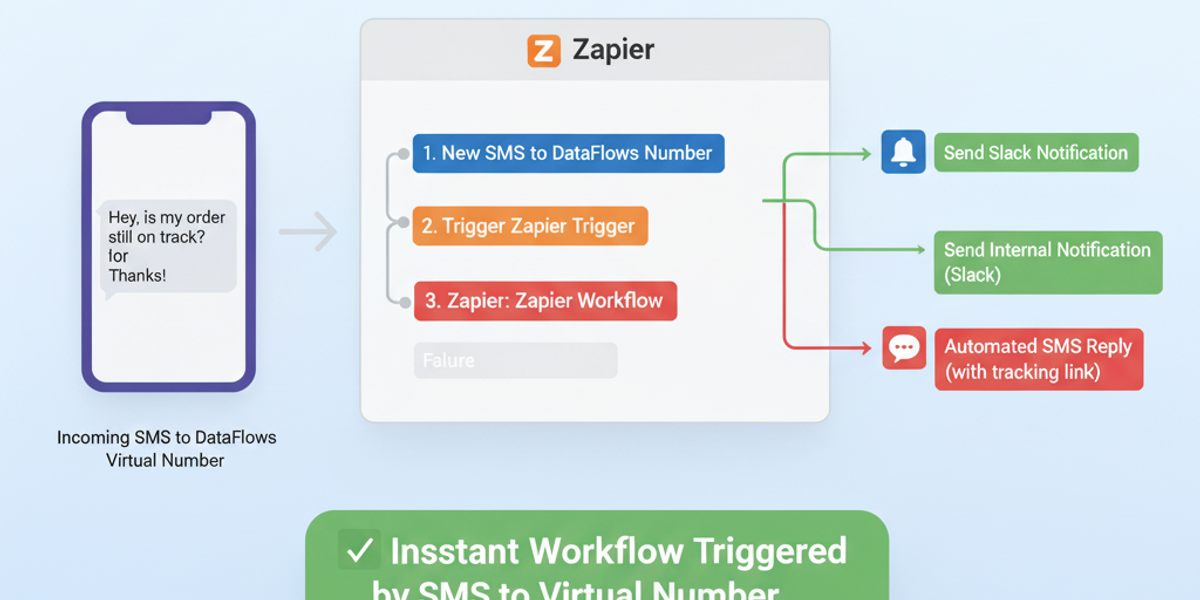
Introduction Every incoming SMS contains opportunities — customer inquiries, order confirmations, or urgent alerts. Manually monitoring messages can be time-consuming and prone to delays. With the DataFlows SMS + Zapier integration, you can automatically trigger workflows as soon as a new SMS arrives on your virtual number, ensuring immediate action and faster responses.
🔧 Connecting Your DataFlows Account to Zapier Before automating your workflows:
- Log in to your DataFlows dashboard.
- Copy your API Token from the Developer section.
- Connect your DataFlows SMS account to Zapier using the API token.
Once connected, Zapier can instantly trigger workflows whenever a new SMS is received.
What This Feature Does The “New SMS Received” trigger allows you to:
- Detect incoming SMS messages on your DataFlows virtual number instantly.
- Trigger any Zapier workflow immediately, from sending notifications to updating records.
- Begin multi-step automation pipelines automatically for every incoming SMS.
Why It Matters for Business
- Immediate response — Quickly react to customer messages, inquiries, or alerts.
- Operational efficiency — Reduce manual checking and ensure no message is missed.
- Customer satisfaction — Faster response times improve the customer experience.
- Automation foundation — This trigger is the starting point for complex workflows combining AI, categorization, and notifications.
How to Set It Up
- Create a new Zap in Zapier.
- Select DataFlows SMS as the trigger app.
- Choose New SMS Received as the trigger event.
- Connect your DataFlows account using your API token.
- Specify the virtual number you want to monitor (if needed).
- Add downstream actions, such as:
- Send a Slack or Teams notification for incoming SMS.
- Log the message into Google Sheets or your CRM.
- Auto-respond with a templated SMS.
- Test the Zap and turn it on.
From this point, every new incoming SMS will automatically trigger your configured workflows, ensuring instant action.
Real-World Example Use Case A logistics company receives SMS updates from delivery drivers:
- A driver sends an SMS with delivery status.
- The Zap instantly triggers: updates the delivery tracking system, sends a notification to the operations team, and logs the message in the CRM.
- Real-time tracking improves efficiency and reduces customer queries.
Looking Ahead: Automation & AI
- Combine New SMS Received with AI sentiment analysis to prioritize urgent or negative messages.
- Automatically categorize incoming messages using Categorize SMS With AI.
- Integrate with other business systems like CRM, Helpdesk, or inventory platforms for end-to-end automation.
Conclusion The New SMS Received trigger in DataFlows SMS + Zapier ensures no message is ever missed. Automate responses, notifications, and logging to save time, enhance operational efficiency, and improve customer experience.
👉 Start automating today by connecting your DataFlows virtual number to Zapier and instantly reacting to every incoming SMS.