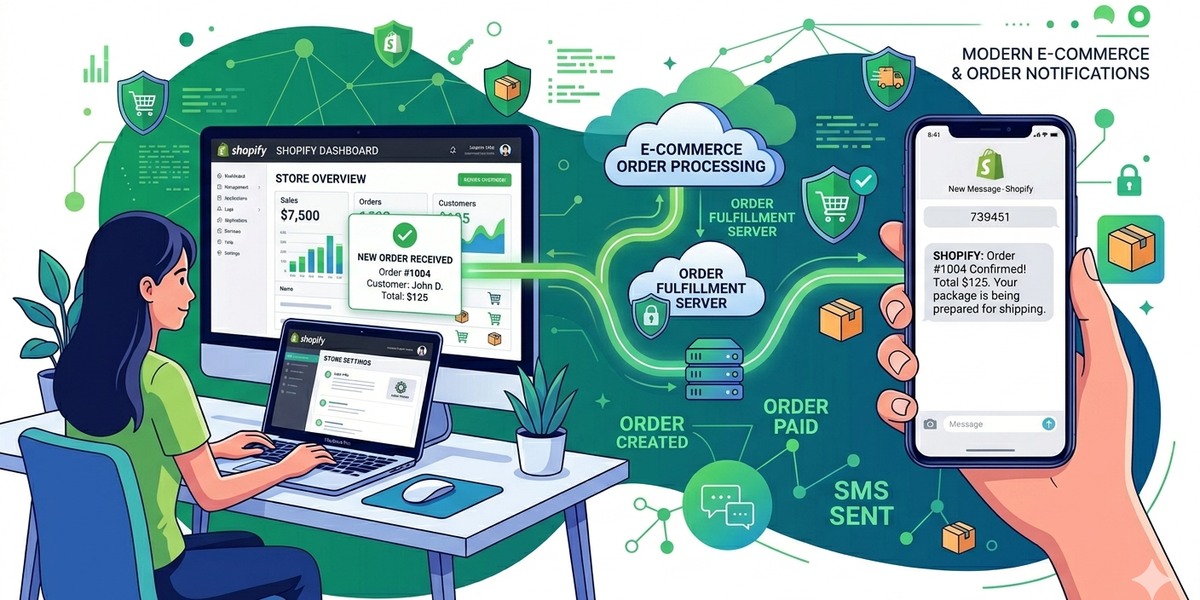
SMS notifications are one of the most effective ways to improve customer communication in e-commerce. By integrating Shopify with DataFlows SMS, businesses can automatically send order updates, shipping alerts, and customer notifications directly to mobile phones.
In this guide, we’ll explain how Shopify businesses can use DataFlows SMS to automate communication and improve customer experience.
Why Use SMS with Shopify?
Customers expect fast and real-time updates about their orders. SMS messaging helps businesses provide instant communication throughout the shopping process.
SMS notifications are ideal because:
• Messages are delivered instantly • High open and read rates • Works on all mobile devices • No app installation required
This ensures customers stay informed about their purchases.
Common Shopify SMS Use Cases
Shopify stores commonly use SMS for:
• Order confirmations • Shipping updates • Delivery notifications • Abandoned cart reminders • Promotional campaigns • Customer support updates
These notifications help improve customer satisfaction and engagement.
How the Shopify Integration Works
The DataFlows Shopify integration allows your store to connect directly with the DataFlows SMS platform.
Once connected, Shopify events can trigger SMS notifications automatically.
For example:
- A customer places an order
- Shopify triggers the event
- DataFlows sends the SMS notification
- The customer receives an instant update
This creates a seamless customer communication workflow.
Step 1 — Create a DataFlows Account
Before connecting Shopify, you will need an active DataFlows account.
Once your account is active:
- Log in to your DataFlows dashboard
- Configure your sender ID or virtual number
- Prepare your SMS settings
Unlike API-based integrations, the Shopify integration uses your account credentials directly for setup.
Step 2 — Connect Shopify to DataFlows
To configure the integration:
- Open the Shopify integration page in DataFlows
- Enter your Shopify store details
- Use your account credentials to connect the platforms
- Save the integration settings
Once connected, Shopify can begin triggering SMS notifications automatically.
Step 3 — Configure SMS Notifications
After connecting Shopify, you can configure which notifications to send.
Common notification types include:
• Order confirmation SMS • Shipping alerts • Delivery updates • Cart recovery reminders • Promotional campaigns
You can customise the SMS content based on your business requirements.
Personalising Shopify SMS Messages
Personalised SMS messages improve engagement and customer experience.
You can include customer details such as:
• Customer name • Order number • Delivery information • Tracking updates
Example:
“Hi {name}, your order #{order_id} has been shipped and is on the way.”
Benefits of Shopify SMS Notifications
Using SMS with Shopify helps businesses:
• Improve customer communication • Reduce support inquiries • Increase customer trust • Improve delivery experience • Recover abandoned carts • Increase repeat purchases
Why Choose DataFlows for Shopify SMS?
DataFlows provides:
• Reliable SMS delivery • Fast notification processing • Easy Shopify integration • Scalable messaging infrastructure • Campaign and notification management
This makes it easy for Shopify businesses to automate customer communication.
Conclusion
Integrating Shopify with DataFlows SMS is a powerful way to improve customer experience and automate communication.
From order confirmations to delivery alerts, SMS notifications help keep customers informed throughout their shopping journey while improving engagement and trust.